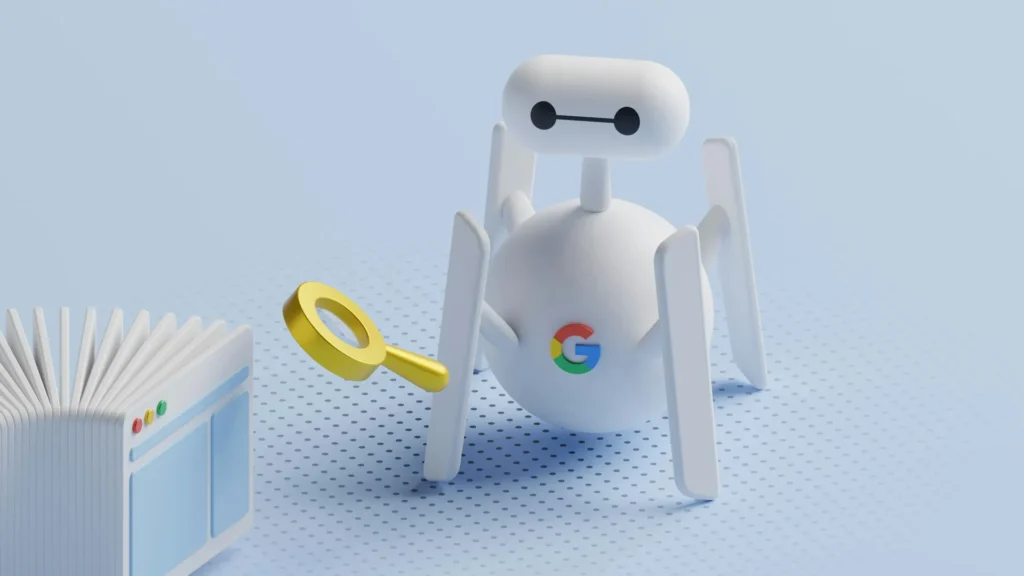
A complete SEO tutorial in simple words. This beginner-friendly SEO tutorial explains how SEO works, why it matters, and how beginners can improve Google visibility without technical knowledge.
If you have a website, blog, or online business and you’ve ever wondered “Why can’t people find me on Google?” — then what you are missing is ‘SEO’. SEO stands for Search Engine Optimization, but do not let the fancy term scare you. At its core, SEO is simply about helping search engines understand your content and helping users find it easily.
Search Engine Optimization (SEO) often sounds complicated, technical, and intimidating—especially if you are not from an IT or marketing background. But in reality, SEO is nothing more than making your website easy to find, easy to understand, and useful for people who are already searching online. This beginner-friendly SEO tutorial breaks down the entire concept using simple language, bullet points, and real-world explanations so anyone can understand and apply SEO without feeling overwhelmed.
1. What Is SEO? (Simple Explanation)
- SEO stands for Search Engine Optimization
- It means the process of making your website easier to find on search engines like Google, when people search for something related to your business or content
- SEO helps search engines understand:
- What your page is about?
- Who should see it?
- When it should be shown?
Example:
If you own a bakery and someone searches for “best birthday cakes near me,” SEO helps your website appear in the results.
Another simple analogy to help understand the SEO concept better is:
If you think of Google as a huge digital library, then:
- Your website is a book
- Your pages are chapters
- SEO is the label, index, and summary that help the librarian (Google) decide:
- What your book is about?
- When to recommend it?
- Who should see it?
Without SEO, your website is like a book placed in the wrong shelf with no title or description.
2. Why SEO Is Important for Any Website?
Most online journeys start with a search
- When people want information, products, or services, the first thing they do is open Google
- If your website does not appear in first few search results, people simply would not know that you exist
- SEO helps your website show up exactly when someone is actively looking
SEO brings the right kind of visitors
- SEO does not bring random traffic
- It brings people who already have a need or question
- This means visitors from SEO are more likely to read, contact, or buy
SEO builds trust and credibility
- Users trust Google’s top results
- Websites that appear on the first page feel more reliable and established
- SEO indirectly positions your brand as an authority in your space
SEO reduces dependence on paid advertising
- Ads stop the moment you stop paying
- SEO continues working even when you are not actively promoting
- Over time, SEO lowers overall marketing costs
SEO works 24/7 without extra effort
- Your website can attract visitors day and night
- You don’t need to be online or active all the time
- SEO turns your website into a continuous traffic source
SEO supports long-term growth
- Good SEO compounds over time
- Content written today can bring visitors for years
- Each optimized page strengthens your overall website
SEO improves user experience
- SEO encourages clear content, better structure, and faster websites
- These improvements make your site easier for visitors to use
- Happy users stay longer and return again
SEO helps you compete with bigger brands
- Small businesses can rank alongside large companies
- Targeting specific and local keywords levels the playing field
- Smart SEO focuses on relevance, not just budget
3. How Search Engines Like ‘Google’ Work?
Search engines follow three main steps:
Crawling
- Google uses software robots (called bots) to explore websites.
- These bots read pages and follow links
- If your website cannot be crawled, it cannot rank high.
Understanding
- Google analyses:
- Page topic (What the page is about?)
- Keywords (What keywords it matches?)
- Content quality (Whether it is useful or not)
- It checks if the page answers real questions
Ranking
Google compares many pages and shows the most helpful ones first.
When someone searches, Google shows results in an order it believes is:
- Most relevant
- Most helpful
- Most trustworthy
And SEO helps your website perform better in all three steps, and improves your chances of ranking higher
4. What Are Keywords? (The Core of SEO)
Keywords are words or phrases people type into Google. If your page does not reflect search terms, Google will not show it, this is where SEO bridges this gap. Your content should match how people search.
Keywords should show user intent like:
- “best laptop for students”
- “SEO tutorial for beginners”
- “how to start a bakery business”
Using the right keyword matters more than using many keywords.
SEO starts by understanding what your audience is searching for. If your website talks about “digital marketing tips” but people search for “online marketing tips,” Google might not show your page.
Good SEO uses the same language your audience uses.
Types of Keywords Explained Simply
Short Keywords are typically:
- Very broad and general
- High competition
- Hard to rank
- Often unclear intent
Example:
- “SEO”
- “Marketing”
Long Keywords are those which are:
- More specific and detailed
- Lower competition
- Easier to rank
- Clear intent
Example:
- “SEO tutorial in simple words”
- “SEO for non technical people”
Why long keywords work better?
- They attract the right audience
- They answer specific needs
- They convert better
6. On-Page SEO (Optimizing What Is On Your Website)
On-page SEO includes everything visible on your web pages.
a. Page Title (Meta Title)
- Appears as the clickable blue link on Google
- Helps Google and users understand the page topic
- Should include the main keyword
- Should be clear and meaningful
Example:
❌ “SEO”✅ “SEO Tutorial for Beginners – Simple Guide”
b. Meta Description
- Short summary shown below the title
- Encourages people to click
- Does not affect ranking directly, but:
- Affects the traffic
- Helps users decide whether to click
- Improves click-through rate
Think of it as A short sales pitch or like a mini advertisement for your page.
c. Headings (H1, H2, H3)
Headings organize content and help both users and Google understand structure. Headings give a Clear structure to the content which helps better understanding. So typically:
- Headings organize content
- Help readers scan easily
- Help Google understand structure
Simple structure to follow is:
- One H1 (main topic)
- Multiple H2s (sections)
- H3s for subpoints
d. Content Quality
Google prefers content that:
- Solves a real problem
- Answers questions clearly
- Is easy to read
- Is original
- Is Helpful to users
SEO is not about stuffing keywords. It is about explaining things clearly and completely.
7. Off-Page SEO (Building Trust Outside Your Website)
Off-page SEO is about reputation, trust and credibility. The biggest factor here is backlinks.
What Are Backlinks?
A backlink is when another website links to your website.
Think of backlinks as recommendations. Good backlinks increase trust, Google sees your content as valuable.
If many good websites link to you, Google thinks:
“This site must be trustworthy.”
8. Technical SEO (Non-Technical View)
You do not need coding knowledge to understand this.
Technical SEO focuses on:
- Website speed – Website should load fast
- Mobile friendliness – Website should work well on mobile
- Proper page loading – Pages should open properly
- No broken pages – Ensure that there are no broken links
Most website platforms handle this automatically, but it is important to:
- Use reliable hosting
- Avoid heavy images
- Keep the site clean
9. SEO and Content Go Together
SEO and content marketing work together.
- Content gives people something valuable
- SEO helps people find that content
Without SEO: Your content stays hidden and Without content: SEO has nothing to rank.
They are two sides of the same coin.
10. Common SEO Myths
There are few misconceptions that confuse beginners to SEO:
- ❌ SEO gives instant results
- ❌ SEO is only for experts
- ❌ SEO means stuffing keywords
- ❌ SEO is outdated
Reality:
- SEO takes time
- Anyone can learn basics
- Quality matters more than tricks
- SEO evolves constantly
11. How Long Does SEO Take to Work?
SEO is slow but stable.
Typical timeline:
- 1–3 months: Google starts noticing (Indexing and crawling)
- 3–6 months: Ranking improvements
- 6–12 months: Steady traffic growth
SEO rewards patience and consistency. Think of SEO like planting a tree, not running ads.
12. SEO for Business Owners
SEO helps businesses by:
- Increasing visibility
- Generating organic leads
- Reducing ad dependency
- Building credibility
People trust organic results more than ads.
13. SEO for Bloggers and Creators
SEO helps creators:
- Grow audience
- Monetize content
- Build authority
- Create evergreen content
A single optimized article can bring traffic for years.
14. Local SEO (For Physical Businesses)
Local SEO helps businesses appear for nearby searches.
Important elements:
- Google Business Profile
- Correct business name and address
- Reviews
- Local keywords
Example search: “Best dentist near me”
15. Beginner-Friendly SEO Tools
You do not need advanced tools to start.
Helpful tools:
- Google Search Console
- Google Analytics
- Keyword research tools
- SEO plugins
Remember that Tools assist you — they don’t replace good content. Tools only help you to measure, not magically rank high.
16. SEO Content Writing Tips for Beginners
- Write naturally
- Use simple words
- Avoid keyword stuffing
- Explain concepts clearly
- Answer common questions
- Use bullet points
- Break long paragraphs
- Add examples
Good writing improves both SEO and user experience.
17. Common SEO Mistakes to Avoid
- Copying content
- Writing for search engine bots instead of humans
- Ignoring mobile users
- Overusing keywords
- Expecting overnight success and Giving up too early
SEO success comes from consistency, not shortcuts.
18. SEO Is About User Experience
Modern SEO is not about tricks or hacks. If users like your content, Google will too. Modern SEO focuses on:
- Helpful content
- Easy navigation
- Clear answers
- Fast loading
If users enjoy your site, Google rewards it.
19. A Simple SEO Checklist for Beginners
- Clear page titles
- Simple meta descriptions
- Relevant keywords
- Helpful, original content
- Mobile-friendly design
- Fast loading pages
- Internal links
- Regular updates
These basics need to be followed consistently for the best results.
CONCLUSION
When explained correctly, SEO is not complicated. It is simply about helping people find the right information at the right time. You do not need technical skills, coding knowledge, or expensive tools to get started. By focusing on clear content, simple structure, and user needs, anyone can build strong SEO foundations. With patience and consistency, SEO becomes one of the most powerful and cost-effective ways to grow online visibility.